.png)
Top 5 Best Link in Bio Tools in 2026 (Honest Comparison)
Looking for the best tool to centralize all your links in one place? Between Linktree, Later, Beacons, and the rest, it's hard to know where to start. We tested the most popular solutions to give you an honest comparison — including the strengths, but also the real flaws nobody talks about.
1. 🥇 bio.ax — The Best Balance of Freedom and Simplicity
bio.ax is the tool that pushes customization the furthest without ever sacrificing simplicity. Where most tools give you rigid templates, bio.ax lets you build exactly the page you have in mind.
What Really Sets It Apart
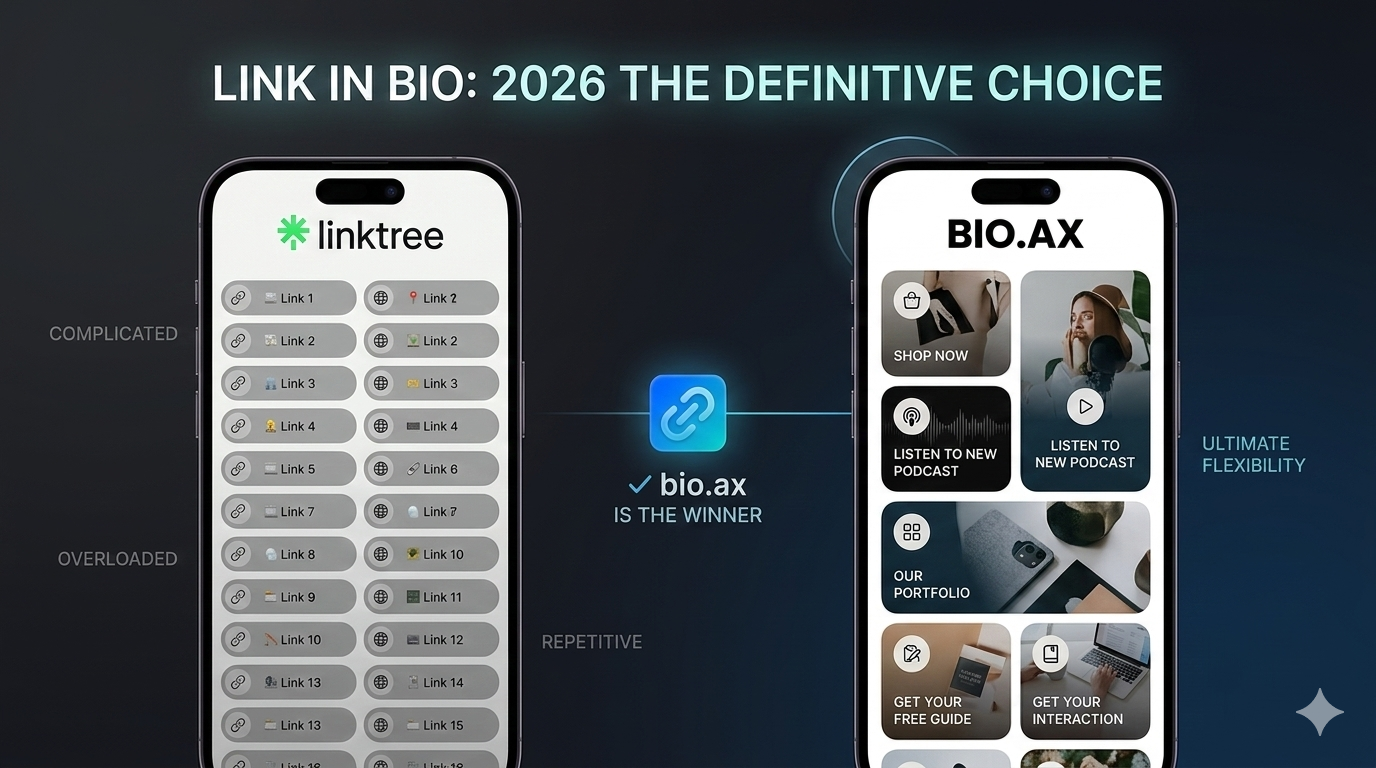
The most impressive feature: paste a YouTube, Spotify, SoundCloud, or Twitch link — an interactive widget appears automatically. Your video is playable directly in your bio. Your music is listenable without leaving the page. Visitors stay longer and click more.
Customization goes very far: animated backgrounds (matrix effect, connected particles), buttons with glass effect, rounded corners, gradients, animations on individual links… And if you're not a designer, the built-in AI does the work for you: describe what you want in plain language and it automatically generates a professional, cohesive design.
On the analytics side, bio.ax goes further than the competition: you see not just views and clicks, but also the exact traffic source (Instagram, TikTok, Snapchat…), your visitors' city, peak hours, devices used, and an automatic plain-language summary.
Page management is designed to be fast: everything rearranges by drag and drop, the interface has no unnecessary submenus, and pages load quickly thanks to an advanced caching system and servers close to your audience.
The Downsides
None — for now it's the most complete tool on this list, and it continues to evolve rapidly.
Ideal for: content creators, musicians, streamers, entrepreneurs, and anyone who wants a bio that truly stands out.
🔗 bio.ax
2. 🥈 Linktree — The Most Known, but Showing Its Limits
Linktree is arguably the tool that popularized the link in bio concept. Millions of people use it, and you see it everywhere on Instagram and TikTok. Its reputation is deserved for a quick start.
What's Good
Getting started is immediate. In five minutes, you have a functional page with your links. Integration with social networks is simple, and the free version lets you get started without spending a cent.
The Downsides
The problem with Linktree is precisely its popularity: everyone has the same page. The templates are recognizable at first glance, and customization remains very limited on the free plan. To access real design options, you need to upgrade to a paid plan — which gets expensive fast.
Media widgets exist but are basic. No properly integrated interactive YouTube video, no truly immersive Spotify player. And advanced statistics? Reserved for premium subscribers.
Finally, Linktree pages load relatively slowly compared to recent alternatives — a detail that matters when your audience arrives from an Instagram story that lasts 24 hours.
Ideal for: someone who just wants something functional in 5 minutes without trying to stand out.
3. 🥉 Later (Link in Bio) — Handy for Content Planners
Later is primarily a content scheduling tool for Instagram. Its link in bio is a complementary feature that creates a page visually mirroring your Instagram feed.
What's Good
The idea is solid: your bio page looks like your Instagram, with a grid of clickable images. For brands heavily focused on visual content, it's cohesive and aesthetic. The integration with post scheduling is smooth.
The Downsides
The main problem: Later is built for Instagram, not to be a real link hub. If you want to add a YouTube video, a Spotify player, or links to different platforms, you quickly hit limitations. The tool lacks flexibility for anything outside Instagram content.
Design customization is very restricted. You can't really build a distinct visual identity — you're locked into the grid style. And like Linktree, the interesting features are all behind a paid subscription, with one of the highest price tags on this list.
Ideal for: creators whose 100% of activity revolves around Instagram and who already use Later for scheduling.
4. Beacons — Well Thought Out, but Overloaded
Beacons positions itself as an "all-in-one" tool for creators: link in bio, integrated store, email collection, monetization… On paper, it's ambitious.
What's Good
The feature richness is real. You can sell digital products, collect email addresses, embed forms — all from your bio page. For certain creators looking to monetize directly, that's a genuine advantage.
The Downsides
Trying to do everything is also Beacons' main flaw: the interface has become complex. For someone who just wants a clean, effective links page, the platform is overloaded with features they'll never use. The learning curve is longer than alternatives.
Page design remains in a fairly generic aesthetic despite the customization options, and load performance isn't at the level of specialized tools. The free version also displays the Beacons brand quite visibly, which hurts the professional image.
Ideal for: advanced creators who want to sell digital products directly from their bio and are willing to spend time configuring the tool.
5. Carrd — Ultra Flexible, but Reserved for the More Technical
Carrd is technically a one-page site builder, but it's widely used as a link in bio by those who want something entirely custom.
What's Good
Design freedom is almost total. You can build a page that looks very different from classic tools, with a custom layout, sections, images, and text arranged however you want. For people comfortable with web design, it's powerful.
The Downsides
And that's the big problem: Carrd isn't made for non-technical users. Creating a beautiful page requires time, design sensibility, and familiarity with web building tools. Where bio.ax generates a professional design from a description, Carrd leaves you facing a blank page.
No automatic media widgets, no Spotify or YouTube player integrated in one click, no advanced audience analytics. Link in bio-specific features are absent — you build everything from scratch. And regular page updates quickly become tedious.
Ideal for: designers or developers who want full control and have the time to build and maintain their page manually.
Summary
| Tool | Media Widgets | Customization | Advanced Stats | Simplicity | Price |
|---|---|---|---|---|---|
| bio.ax | ✅ YouTube, Spotify, Twitch… | ✅ Full + AI | ✅ Complete | ✅ Very simple | ✅ |
| Linktree | ⚠️ Basic | ⚠️ Limited (paid) | ⚠️ Paid | ✅ Simple | ⚠️ |
| Later | ❌ Limited | ❌ Very limited | ⚠️ Basic | ✅ Simple | ❌ Expensive |
| Beacons | ⚠️ Partial | ⚠️ Generic | ⚠️ Partial | ❌ Complex | ⚠️ |
| Carrd | ❌ None | ✅ Full | ❌ None | ❌ Technical | ✅ |
Conclusion: Which One to Choose?
If you want a page that truly stands out, that integrates your videos and music interactively, that gives you clear statistics about your audience, and keeps all that simple to manage day to day — bio.ax is the obvious answer.
The other tools have their merits, but they all involve a trade-off: paying a lot for basic features, sacrificing simplicity for flexibility, or blending in with the same templates as millions of other pages.
Get started for free on bio.ax — your account is ready in two minutes.