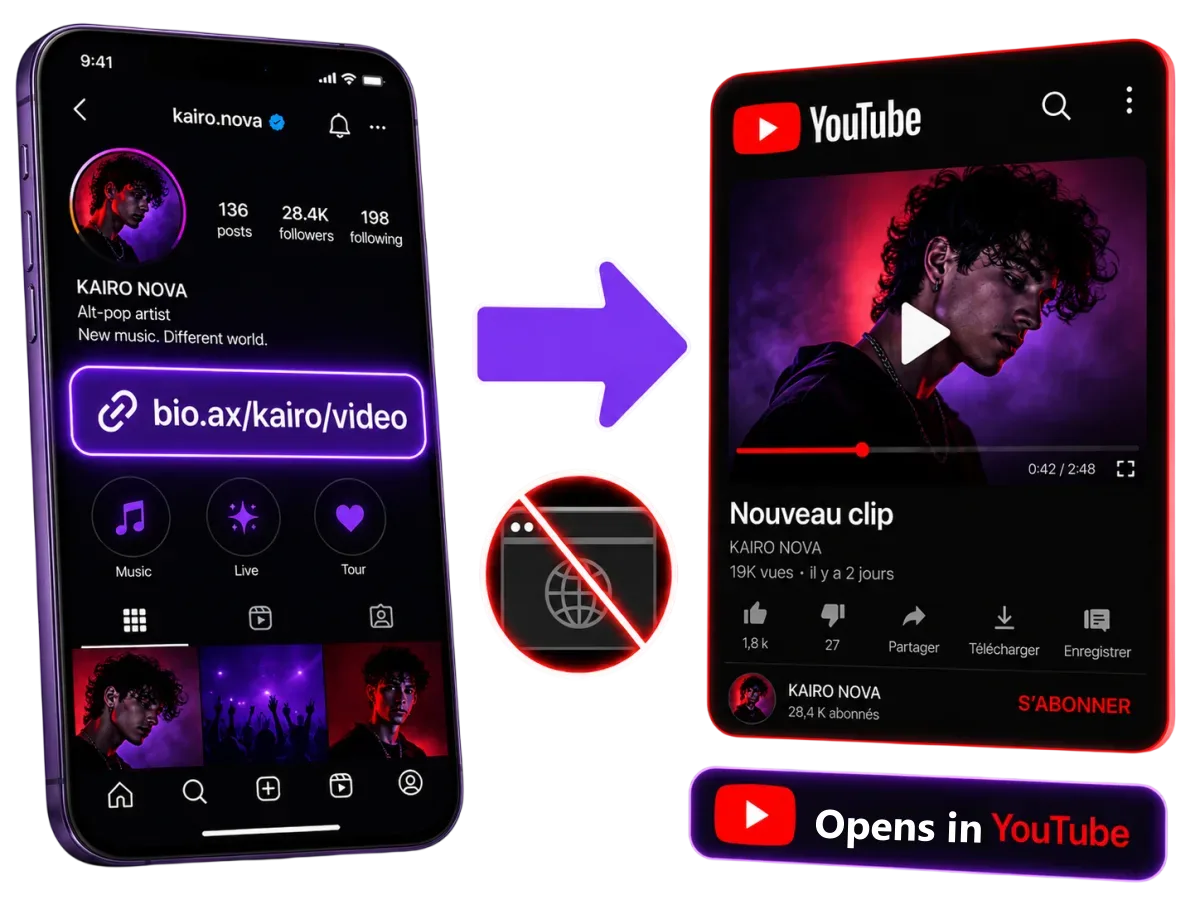
From your Instagram bio, a story or a Snap, a regular YouTube link opens in a browser where your viewer isn't signed in. With a Bio.ax YouTube deep link, the video, Short or channel launches in the official app: they subscribe, like and comment in a single tap.
In Instagram's browser, they aren't signed in to YouTube. One view, zero subscribers.
No landing page, no “Continue” button. Bio.ax detects the phone and the app the click comes from, then opens YouTube exactly on the shared video. Your viewer sees your thumbnail, your title and your Subscribe button, on an account they've been signed in to for years.
?t= timestamp is kept: the video starts at the right momentCopy the link from the YouTube app or website, as is. Bio.ax keeps the full address and passes it to the app: nothing to rewrite, nothing to convert.
The classic video link, copied from the address bar.
youtube.com/watch?v=dQw4w9WgXcQThe one the app's Share button gives you, timestamp included.
youtu.be/dQw4w9WgXcQ?t=95Opens in the vertical player, with the next Shorts ready to scroll.
youtube.com/shorts/a1B2c3D4e5FYour channel page, Subscribe button at the top of the screen.
youtube.com/@yourchannelA series, a multi-part tutorial, a compilation.
youtube.com/playlist?list=PL…The current or scheduled stream, with chat for signed-in viewers.
youtube.com/live/xYz123AbCLinks copied from the mobile site are recognised too.
m.youtube.com/watch?v=…A track opens in the YouTube Music app, not in YouTube.
music.youtube.com/watch?v=…Send followers right to the part you mention in your story.
youtube.com/watch?v=…&t=1h24m10sEvery social app handles links its own way. Here is, with no magic promises, what your viewer sees when they tap your Bio.ax YouTube link.
| The viewer taps from… | iPhone | Android |
|---|---|---|
| Instagram (bio, story, DM) | YouTube app | YouTube app |
| Snapchat | YouTube app | YouTube app |
| YouTube app | YouTube app | |
| YouTube app | YouTube app | |
| X (Twitter) | Guide page, 2 taps | YouTube app |
| TikTok | Guide page, 2 taps | Guide page, 2 taps |
| Messenger | Guide page, 2 taps | Guide page, 2 taps |
| SMS, WhatsApp, email, QR code | YouTube app Safari may ask “Open in YouTube?” | YouTube app |
| Desktop | youtube.com, no detour | |
Why a guide page on TikTok? TikTok, Messenger and X on iPhone don't let their browser open another app, whatever tool you use. Instead of letting the video load in that signed-out browser, Bio.ax shows the viewer where to tap (⋯ then “Open in browser”), and the YouTube app takes over. If YouTube isn't installed, the video opens on the web.
Create a custom link like bio.ax/you/latest-video and put it in your Instagram and TikTok bio once. With every new upload, change the destination video in Bio.ax: the link stays the same, and your old posts and QR codes send people to the new one.
Anywhere your audience follows you outside YouTube. A few spots that work well, and how to use them.
On release day, a story with a vertical clip and the link sticker. This is where the in-app browser costs you the most subscribers.
Your “latest video” link or your channel link, for people discovering your profile.
Under a clip posted as a Reel or on Facebook: “the full version is here”.
Announce the live to your community: in groups, the link opens the app directly.
Opened on a phone, the video plays in the app instead of inside Gmail or Mail.
Event poster, packaging, t-shirt, a screen during an IRL stream: one scan and the channel opens.
YouTube Studio tells you part of your traffic comes from “external sources”. Bio.ax tells you which ones. The trick: one link per placement, all pointing to the same video. Then compare your bio, your story and your Discord, click by click.
In the YouTube app, tap Share then Copy link. You get an address like youtu.be/Vt9nKs4.
In Short links, paste the address and keep Open in app on. Pick a meaningful code if you're Pro.
Bio, story, Discord, QR code: bio.ax/you/code opens the YouTube app on every phone.
I'd put my video link in my story and almost nobody subscribed. Now that the link opens the YouTube app, people arrive signed in and the Subscribe button is right there.Story → YouTube app
I have a single “latest clip” link in my bio. With every release I swap the video behind it and never touch my Instagram again. And I can see which story worked best.One link for every release
My live replays are on YouTube. With the Bio.ax link, my clients open them in the app, ad-free thanks to their Premium, and pick up right at the right part.Plays at the right moment
Dedicated deep link tools quickly charge for unlimited links, or cap how many you can create. Here's how we compare with taap.it and LinkTwin, two tools YouTubers know well.
| Bio.ax Pro | taap.it Starter | taap.it Pro | LinkTwin Small | LinkTwin Medium | |
|---|---|---|---|---|---|
| Price per month | $5.99 no commitment | $13 billed $156 yearly | $40 | $19 | $49 |
| YouTube deep links | ✔Unlimited | ~50 links | ~500 links/month | ✔Unlimited | ✔Unlimited |
| Clicks | ✔Unlimited | ✔Unlimited | ✔Unlimited | ✔Unlimited | ✔Unlimited |
| Custom link (bio.ax/you/latest-video) | ✔ | ✔ | ✔ | ✘Not included | ✔ |
| Stats history | ✔For life | ✔ | ✔ | ~90 days | ~1 year |
| Full link-in-bio page | ✔With store and forms | ✔2 pages | ✔5 pages | ✔1 page | ✔3 pages |
| Logo removed from page | ✔ | ✘ | ✘ | Not stated | Not stated |
Prices checked on November 8, 2026 on taap.it/pricing and linktw.in/pricing (monthly plans, except taap.it Starter, sold yearly only). Subject to change.
What to know before you put a YouTube deep link in your bio.
Help centerPaste your video, Short or channel link into Bio.ax and turn on Open in app. You get a short link like bio.ax/you/code. When a viewer taps it on their phone, Bio.ax launches the YouTube app on the right page instead of Instagram's or Snapchat's built-in browser.
Instagram, TikTok, Facebook and Snapchat open links in their own browser to keep people on their platform. That browser doesn't share the phone's YouTube session, so the viewer is signed out and can't subscribe or like without logging in again. A deep link leaves that browser and hands over to the YouTube app.
Yes. A youtube.com/shorts/… link opens the Short in the YouTube app's vertical player, with the next Shorts ready to swipe.
Yes. Bio.ax passes the whole address to the app, parameters included: youtu.be/abc?t=95 starts the video at 1:35, in the app just like on the web.
The same video opens on youtube.com in their browser. On a computer, the link goes straight to youtube.com with no page in between.
TikTok blocks its in-app browser from opening any other app, whatever deep link tool you use. Bio.ax then shows a clear page: tap ⋯ then “Open in browser”, and the YouTube app launches. Same thing from Messenger, and from X on iPhone.
Yes. On iPhone, Bio.ax uses the YouTube app's URL scheme; on Android, an intent link to the official app with an automatic web fallback. You don't pick anything: the right format is sent for each phone.
Yes. Edit the destination in your dashboard and the same bio.ax/you/latest-video link points to your new upload. No need to touch your Instagram bio or your old posts.
You can create 5 deep links for free. The Pro plan, at $5.99 a month, makes them unlimited and adds custom links. Clicks are never capped and stats are kept for life.
No. The viewer lands on the real YouTube video, in the official app: the view, the subscription and the like all count as usual. Bio.ax only decides where the link opens.
Your channel probably isn't your only link. Spotify, Amazon, Instagram, Twitch: each link opens in its own app.
Put a YouTube deep link in your bio in under a minute. No credit card.
Create my YouTube link